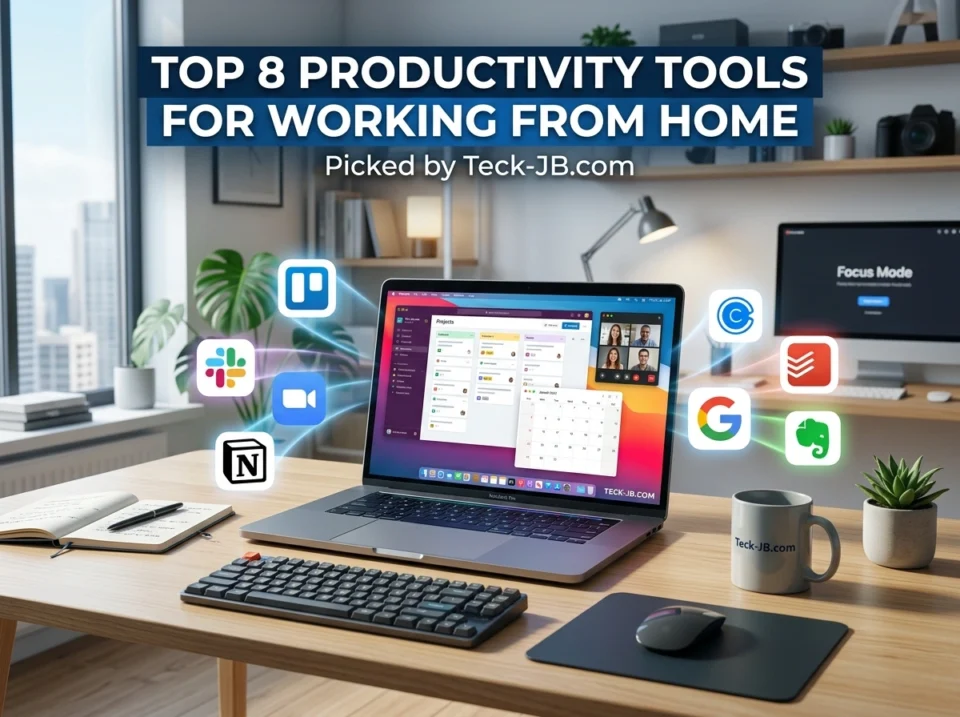
Remote work has changed how millions of Americans get things done. Whether you’re logging in from a home office in Austin or a cozy apartment in Seattle, one thing stays true: the right tools make all the difference. Without them, your day can slip away in a blur of missed messages, scattered notes, and meetings that go nowhere.
The good news? You don’t need a dozen apps to stay sharp. You just need the right ones. In this guide, we’ll walk through eight productivity tools that remote workers across the country rely on every day. For each one, you’ll get a clear breakdown of what it does, its standout features, and why it earns a spot in your toolkit. Let’s dig in.
1. Slack — Team Communication Made Simple
Email overload is real, and Slack helps you escape it. This messaging platform keeps your team connected through organized channels, direct messages, and quick voice or video calls. Instead of digging through a crowded inbox, you find conversations grouped by project, topic, or department.
Key features:
- Dedicated channels for teams and projects
- Integrations with hundreds of apps like Google Drive and Zoom
- Searchable message history
- Huddles for quick audio chats
Why it works: Slack cuts down on the back-and-forth that eats up your morning. Notifications can be customized so you only hear what matters, which helps you stay focused without missing key updates.
2. Trello — Visual Project Management
If you’re a visual thinker, Trello will feel like home. It uses boards, lists, and cards to map out tasks in a way you can actually see. Drag a card from “To Do” to “Done,” and you get that small hit of satisfaction that keeps momentum going.
Key features:
- Drag-and-drop card system
- Custom labels, due dates, and checklists
- Power-Ups that add calendars, automation, and more
- Templates for common workflows
Why it works: Trello is simple enough to start in minutes but flexible enough to manage complex projects. It’s a favorite for solo freelancers and small teams alike.
3. Zoom — Reliable Video Meetings
Video calls became a daily ritual for remote teams, and Zoom remains a top pick. It delivers stable, high-quality meetings whether you’re hosting a quick check-in or a company-wide town hall.
Key features:
- HD video and audio
- Screen sharing and virtual backgrounds
- Breakout rooms for group work
- Recording and live transcription
Why it works: Zoom handles large meetings without the lag that plagues some competitors. Features like breakout rooms make it great for workshops, training sessions, and collaborative brainstorming.
4. Notion — Your All-in-One Workspace
Notion blends notes, databases, wikis, and task lists into a single flexible space. Think of it as a digital binder you can shape however you want. Many remote workers use it to build personal dashboards, team handbooks, and content calendars all in one place.
Key features:
- Customizable pages and databases
- Templates for almost any use case
- Real-time collaboration
- Linked notes and relational databases
Why it works: Instead of juggling five separate apps, you keep everything in Notion. That kind of consolidation saves time and reduces the mental clutter of switching tabs all day.
5. Google Workspace — The Collaboration Standard
Google Workspace bundles Gmail, Docs, Sheets, Slides, Drive, and Calendar into one connected suite. For remote teams, the real magic is real-time collaboration. Multiple people can edit the same document, and you see changes as they happen.
Key features:
- Cloud-based document editing
- Shared drives with controlled access
- Smart calendar scheduling
- Generous storage options
Why it works: Almost everyone already knows how to use Google’s tools, so the learning curve is nearly flat. Files live in the cloud, which means you can pick up where you left off from any device.
For more hands-on reviews and tech recommendations tailored to remote workers, the team at teck-jb.com shares practical guides worth bookmarking.
6. Todoist — Personal Task Management That Sticks
When your day fills up fast, Todoist helps you capture every task before it slips your mind. This clean, intuitive app lets you organize to-dos by project, priority, and deadline. It works across phones, browsers, and desktops, so your list follows you everywhere.
Key features:
- Natural language input (type “submit report Friday 3pm”)
- Priority levels and labels
- Recurring task scheduling
- Productivity tracking with Karma points
Why it works: Todoist strikes a balance between simple and powerful. You won’t feel buried by options, yet you still get enough structure to manage a busy workload with confidence.
7. Clockify — Track Your Time, Reclaim Your Day
Ever wonder where your hours actually go? Clockify answers that question. This free time-tracking tool lets you log how long tasks take, which is gold for freelancers billing clients and teams managing projects.
Key features:
- One-click time tracking
- Detailed reports and timesheets
- Project and client billing rates
- Works on web, desktop, and mobile
Why it works: Tracking your time reveals patterns you might miss. You may notice that “quick” email sessions eat an hour a day. With that insight, you can adjust and protect your most productive stretches.
8. RescueTime — Understand Your Focus Habits
RescueTime runs quietly in the background and measures how you spend time on your devices. It then shows you a clear picture of your focus, your distractions, and your overall productivity score.
Key features:
- Automatic activity tracking
- Focus sessions that block distractions
- Detailed productivity reports
- Goal setting and alerts
Why it works: Awareness drives change. When you see that social media stole 90 minutes of your afternoon, you’re far more likely to set boundaries. RescueTime turns vague guilt into hard data you can act on.
How to Choose the Right Tools for You
You don’t need all eight tools at once. Start by spotting your biggest pain point. If communication feels messy, begin with Slack. If you keep losing track of tasks, try Todoist or Trello. Struggling to focus? Pair RescueTime with Clockify.
Here’s a quick way to build your stack:
- Pick one tool for communication (Slack or Google Workspace)
- Pick one for tasks and projects (Trello, Todoist, or Notion)
- Pick one for meetings (Zoom)
- Add a time tool when you’re ready to optimize (Clockify or RescueTime)
Layering tools gradually keeps you from feeling overwhelmed and helps each one actually stick.
Final Thoughts
Working from home gives you freedom, but it also asks you to manage your own structure. The right tools fill that gap. Slack and Zoom keep you connected. Trello, Notion, and Todoist keep your work organized. Google Workspace ties collaboration together. And Clockify plus RescueTime help you understand and protect your time.
Try one or two of these tools this week and see how they fit your routine. Small changes often lead to the biggest gains in focus and output. Which tool will you test first? Drop your pick in the comments and tell us what’s working for your remote setup.
